

|

DTM |
|

|

|


✅Included: PIX4Dmatic Pro and PIX4Dmatic Analyst
❌Not included: PIX4Dmatic Standard
Surface comparison
The surface comparison tools allow volume computation by comparing two different surfaces, such as point clouds or TINs, rather than relying on a single base surface.
This approach is particularly useful for quantifying changes over time or between design and as built conditions, such as measuring earthwork progress, stockpile depletion, or cut and fill between successive surveys.
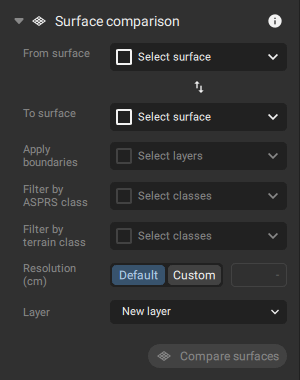
From surface
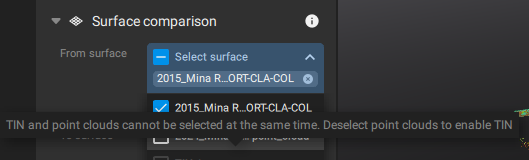
This combo box allows selection of the reference surface for volume computation. One or more point clouds or a single TIN can be selected.
Mixing these data types is not supported. When a point cloud is selected, all TIN options are disabled, and vice versa.
To Surface
This combo box allows selection of the surface used for volume computation against the surfaces selected in the previous section. The surface selected in the From surface section is disabled in this list.
Apply boundaries
This section defines which layers contain geometries to be used as boundaries. Supported geometry types include volumes, polygons, circles, and polylines with more than two vertices.
If a layer contains multiple geometries, PIX4Dmatic computes a separate volume for each geometry using the inputs selected in From surface and To surface.
Tip: In case the geometries cannot be modified, it is possible to lock the layers.
Filter by
If the point cloud used in the computation is classified, either with terrain and non terrain classes or according to the standard ASPRS scheme, a specific class can be selected so that only relevant data is used in the calculation.
Only classes that contain points are displayed in the list.
Resolution
- Default. Average GSD
- Custom. For imported point clouds without original camera metadata, a synthetic GSD is calculated. This value is based on the point cloud scale, defined as the average distance between neighboring points. To preserve detail without introducing gaps, the average point spacing from the most dense point cloud is used as the base resolution.
Layer
The result is stored in a layer. This can either be a new layer created after the computation or an existing layer selected from the project.
Properties panel
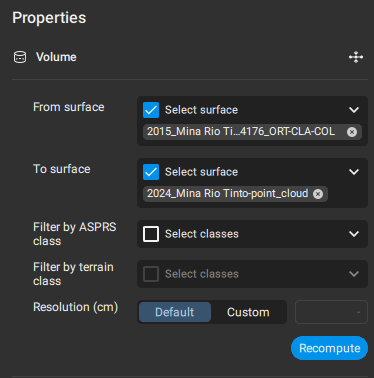
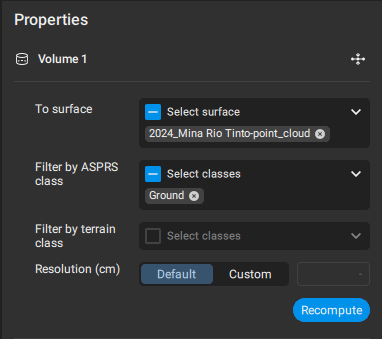
For volumes generated with the Surface comparison tool, the Properties panel includes a From surface combo box in the Recompute section. This option is not available for volumes created with the Volume tool.
Before recomputing a volume, all input parameters should be verified, including the selected point clouds or TINs and any applied class filters.
 |
|
This result compares two surfaces of the same area captured at different times, visualized with a gradient color scale. On the right side, you can see all details related to the surface comparison: the upper section shows the selected inputs, and the lower section displays the numerical values of the comparison.
-4.png?width=670&height=370&name=image%20(2)-4.png)