

|

DTM |
|

|

|


The TIN (Triangular Irregular Network) is a seamless set of triangles representing a surface. In PIX4Dsurvey, the TIN usage is primarily intended to model the ground, from points and breaklines.
✅Included: PIX4Dmatic Pro and Analyst
❌Not included: PIX4Dmatic Standard
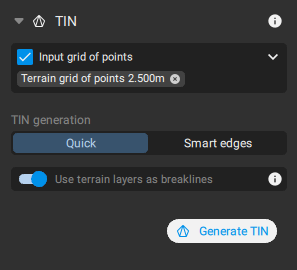
Input grid of points
The primary input for the TIN generation are points generated with the Grid of Points process. For more information and settings, please see the Grid of points article.
To select the Input grid of points:
- In Surveying - TIN, select the generated grid of points in the drop-down menu.
Tip: It is possible to select more than one grid of points. This is particularly helpful in case it is needed to have different TIN resolutions in different areas.
TIN generation algorithms
It is possible to generate the TIN by choosing two algorithms:
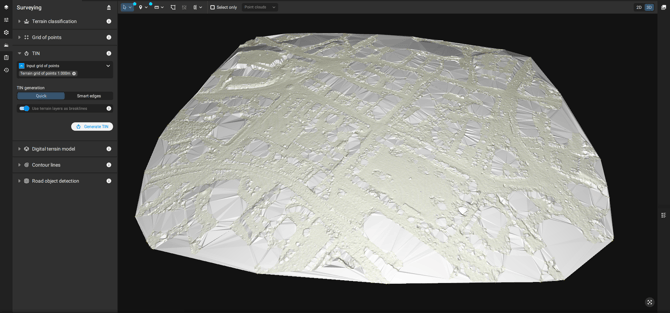
- Quick: Triangulates all the grid points together, even on edges, resulting in a convex border fitting holes on the grid's edges.
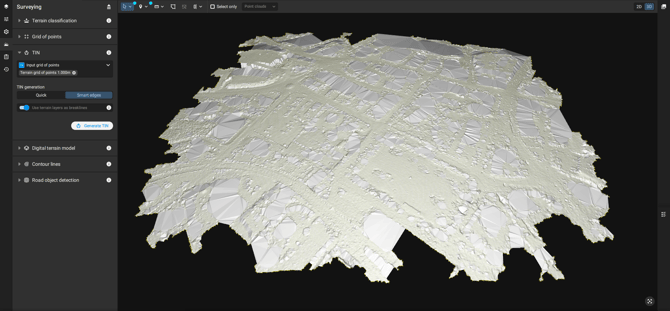
- Smart edges: Involves extra post-processing by trying to build a border that fits more closely the shape of the grid points (a concave shape), and remove all the TIN triangles that are outside of this border.
Use terrain layers
- Use terrain layer for TIN generation. It is also possible to generate the TIN without explicitly selecting an input point grid. In this workflow, all layers used for the TIN must be tagged as Terrain, and no point grid is defined as the input.
In this case, PIX4Dmatic uses all Terrain tagged layers to create the TIN. The software relies on the geometry of these terrain layers, such as polylines, polygons, and markers defined as breaklines, to interpolate and triangulate the surface.
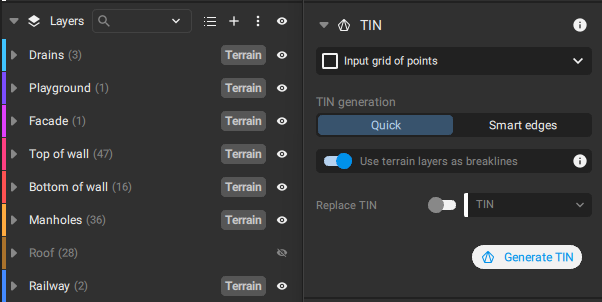
- Use terrain layers as breaklines (Enabled - default): This feature allows the use of polyline, polygon, and marker object types as breaklines if the vector layer is defined as a terrain layer. All layers with the tag Terrain are used.
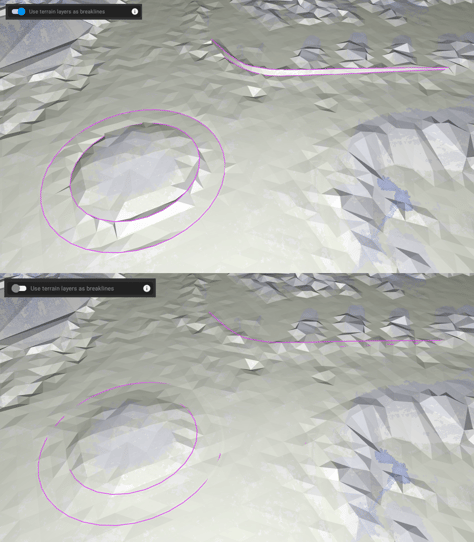
To define a layer as a Terrain layer:
- In the Content - Layers, and Layer properties.
- Toggle the Terrain Layer switch.
Export
TIN can be exported from the Menu bar, click File, then Export. Alternatively, on the content panel, in the TIN section,  Export.
The available formats for TIN exploration are GeoTIFF and LandXML.