IN THIS ARTICLE
Processing options
Region of interest
Cloud Processing Options
Gaussian Splatting
Measure Volumes and Elevation Profiles
2D maps
Generate .SLPK
Point Cloud .SLPK
Mesh.SLPK
Output Reference Coordinate System
Project cost and account balance
Processing options
Once a project has been captured and saved, it can be uploaded to PIX4Dcloud by tapping the Upload button.
The initial screen defines:
- Account and Organization.
- Upload location.
- Records (optional notes).
- Date created.
Tapping Next to display the processing options. These options include:
- Region of Interest (optional).
- Cloud Processing Options:
- Gaussian splatting.
- Measure volumes and elevation profiles.
- 2D map.
- Generate .SLPK.
- Point cloud .SLPK.
- Mesh .SLPK.
- Auto Detected: Output coordinate reference system.
- Project Cost and Account Balance.
-4.png?width=250&height=500&name=Plantilla%20Iphone%20(23)-4.png)
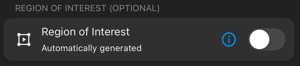
Region of interest (ROI)
A region of interest (ROI) determines the output extent, therefore speeding up processing time, reducing disk storage requirements, and enhancing reconstruction quality.
Cloud processing options
Gaussian Splatting 
Generates a Gaussian Splat model using the acquired images. For more information, visit Using PIX4Dcatch to generate a Gaussian Splat model.

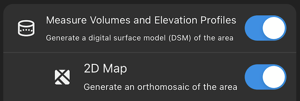
Measure Volumes and Elevation Profiles 
Generates a digital surface model (DSM) representing terrain and above-ground features such as vegetation and buildings.
2D Map 
Produces an orthorectified imagery layer using advanced photogrammetric corrections.
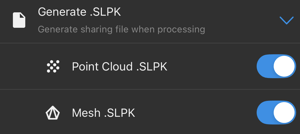
SLPK 
SLPK files are optimized for efficient visualization of 3D datasets, including point clouds and meshes, in ArcGIS Online and ArcGIS Pro.
Output Coordinate Reference System
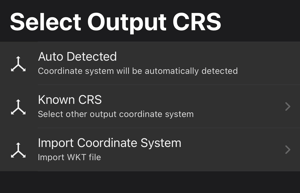
The processed datasets may be georeferenced using one of the following options:
- Auto Detected: Automatically assigns the CRS based on the UTM zone associated with the mobile device’s position.
- Known CRS: Selects a specific CRS from the internal database by searching for its name or EPSG code.
- Import Coordinate System: Imports a custom projected coordinate system defined by a Well-Known Text (WKT) file. For more information: Well-Known Text (WKT) in PIX4Dcatch.
For more information: Output Coordinate Reference System - PIX4Dcatch
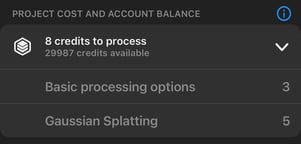
Project cost and account balance
This section displays:
- Credits required to process the project.
- Basic processing options
- Gaussian Splatting
When enabling Gaussian Splatting output, the credits required to process a project are the sum of those for both basic processing options and Gaussian splatting.
- Credits currently available in the account.