
IN THIS ARTICLE
Requirements
To get started, you need the following:
- A compatible mobile device.
- The PIX4Dcatch application.
- PIX4Dmatic (Pro/Standard) or PIX4Dcloud (Pro/Starter) license for processing.
To work with PIX4Dcatch paired with a compatible RTK device, you need the following:
- A compatible RTK device.
- The compatible handle or a custom setup with known offset values.
- An SP Connect phone case compatible with your iOS mobile device to connect to the handle. Not required if working with a custom setup.
- An NTRIP service subscription or a GNSS base with an NTRIP caster (required for RTK accuracy).
- An internet or data connection.
Install PIX4Dcatch on an iOS device
To set up PIX4Dcatch on an iOS device:
- Download the latest version of PIX4Dcatch.

- Open PIX4Dcatch.
- Select the
 Account icon at the bottom of the screen.
 - In the Account Details, either create a new PIX4D account or log in with an existing PIX4D account.
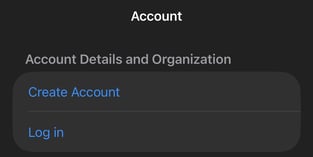
- Once PIX4Dcatch is installed on the device, it is ready to start capturing datasets with the internal GNSS receiver or a compatible RTK receiver.
Important: RTK devices are not supported on Android versions 1.28.0 or later.
If you bought the RTK device through PIX4D, please Contact Support
To learn more about the PIX4Dcatch best practices when acquiring a dataset, visit the Capturing a project article.
To achieve more accurate image geolocation, it is recommended to use an external RTK device. PIX4Dcatch is compatible with several RTK devices.