

|

DTM |
|

|

|


✅Included: PIX4Dmatic Pro and PIX4Dmatic Analyst
❌Not included: PIX4Dmatic Standard
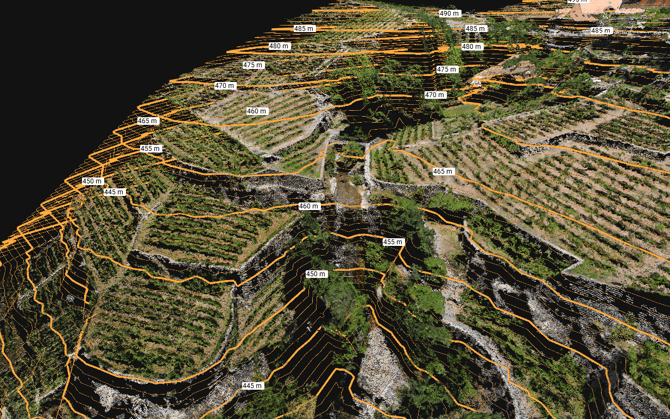
The contour lines feature connects points of the same height with a polyline. Height values are extracted from a TIN (Triangular Irregular Network) or a DTM (Digital Terrain Model). This feature is also used to generate major and minor contour lines, which are visible in the images.
Note: To generate contour lines TIN or DTM needs to be generated in the project.
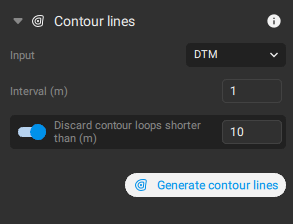
Input
The following settings can be adjusted:
- Interval [units]: Defines the contour line elevation interval. It can be in meters or in imperial according to the coordinate system used:
- 1 m - default.
- 3 ft(US) - default.
Tip: The minimum interval value supported is 0.1. Values below this threshold are not valid and will not be accepted.
- Discard contour loops shorter than [units]: Detects and discards contour lines with shorter length. It can be in meters or in imperial according to the coordinate system used:
- 10 m - default.
- 30 ft(US) - default.
Export
Contour lines can be exported from the Menu bar, click File, then Export. Alternatively, on the content panel, in the Contour line section,  Export.
The available formats for contour line exploration are DXF, zip shp, SHP y GeoJSON.