
IN THIS ARTICLE
What is the PIX4Dcloud Pro trial license
How to get a PIX4Dcloud trial license
How to cancel the trial
Recommendation
What is the PIX4Dcloud Pro license
The PIX4Dcloud Pro trial license is designed for users who want to evaluate the advanced features of PIX4Dcloud before purchasing a subscription. The trial is valid for 15 days and includes 40 processing credits.
The included credits allow the processing of approximately:
- 1,450 images captured with PIX4Dcatch
- 200 images captured with a 20 MP camera
- 95 images captured with a 42 MP camera
If the trial expires without a purchase of a PIX4Dcloud or PIX4Dcloud Pro license, all datasets processed during the trial are deleted 30 days after the expiration date.
How to get a PIX4Dcloud Pro trial license
Follow these steps to sign up for and activate your PIX4Dcloud trial:
- Go to pix4d.com/demo or pix4d.com/software-guide.
- On the Log in page:
- If you do not have a user account, click Create an account and follow the instructions before requesting a trial.
- If you already have a user account, enter your PIX4D account email address and password.
- Select the Organization where the trial will start and click Continue.
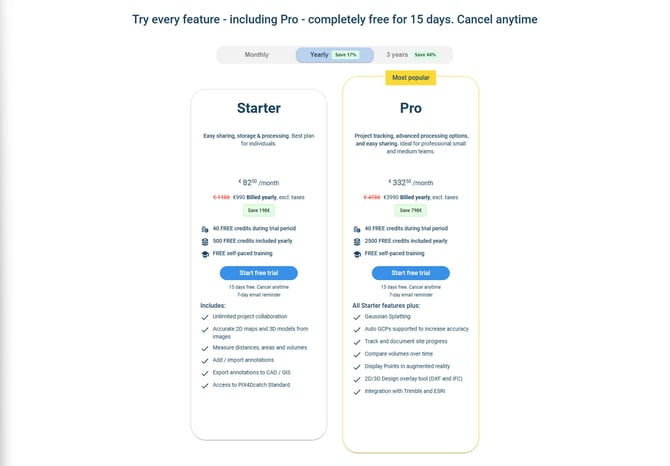
- Select the desired license plan you wish to use after the trial period is over, and click Start free trial.
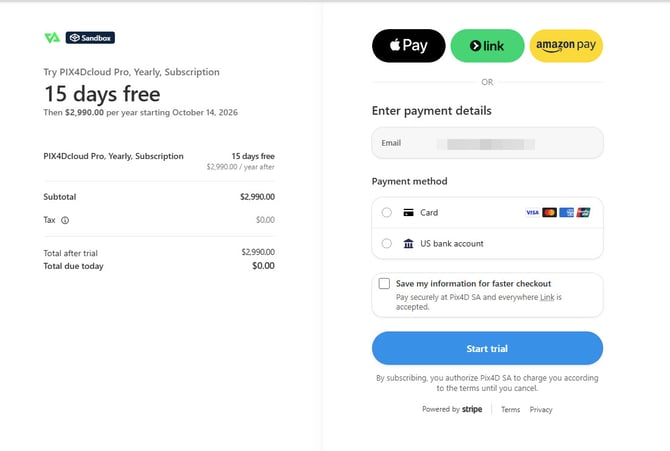
- Select the payment method that will be used once the trial is over.
- Enter the necessary information and click Start trial.
- Click Start exploring now! You can go back to your PIX4Dcloud Drive or Organization dashboard at any time to manage your organization settings.

- An email will be sent to you confirming the start of the trial.
Note: Although your selected license plan may be PIX4Dcloud Starter, the features of the PIX4Dcloud Pro license will be available to you during the 15-day trial period. Once the trial expires, your access to features will be adjusted according to your selected license plan.
How to cancel the trial
To cancel your trial before you are charged, please follow the instructions outlined in the How to cancel a subscription article.
Note: If you choose to cancel, your trial will still remain valid and you can continue to access the features until the end of the 15-day trial period.
Recommendation
Before starting the trial, it is recommended to review the PIX4Dcloud best practices article to ensure optimal use of credits and successful processing.