
PIX4Dmatic includes three access levels, each linked to a specific license (plan): PIX4Dmatic Analyst, PIX4Dmatic Standard, and PIX4Dmatic Pro. Users who have access to multiple licenses can switch between them, for example, to share licenses within the same company. PIX4Dmatic and PIX4Dsurvey legacy license holders (learn more) can also switch between their available licenses/access levels.
Note: The licenses a user can switch between must be associated with the same email address, even if they belong to different organizations.
To switch the license, it is possible to do it directly in PIX4Dmatic 2.X:
-
On the right side, click Organization & licenses.
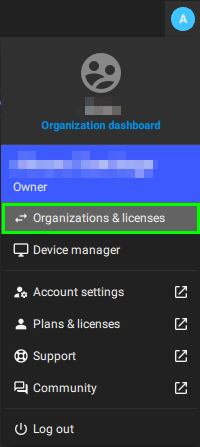
- Select a license. Based on the selection, the table in the following article indicates which features are available for each license. > Feature per license - PIX4Dmatic
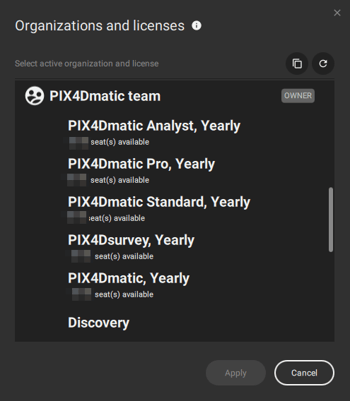
Note: Based on the number of seats available for each license, the license can be used simultaneously on different computers.