
IN THIS ARTICLE
Introduction
The ABZ exports are compatible with the L & S series. To export the Targeted Operations to ABZ drones:
- Go to Export, Operations.
- Select the Operation to be exported.
- Select ABZ innovation ( L & S series).
- After selecting the brand, the prescription map is automatically upsampled to an 8m cell size, as required by the drone.
- Adjust rate or cell size if needed.
- Click Export.
- Select the destination folder and click Select folder.
-
- Boundary: Contains the mission boundary limits. It is useful for exporting a field’s boundaries or for specific cases where spot spraying is feasible.
- Rx: Contains the prescription itself. It is suitable for most applications and supports Variable Rate Application.
Import the map into the controller
After exporting the desired format from PIX4Dfields:
- Copy and paste the folder onto the micro SD card.
- Remove the SD card from the laptop and insert it into the controller.
- Power on the controller and import the files as follows:
-
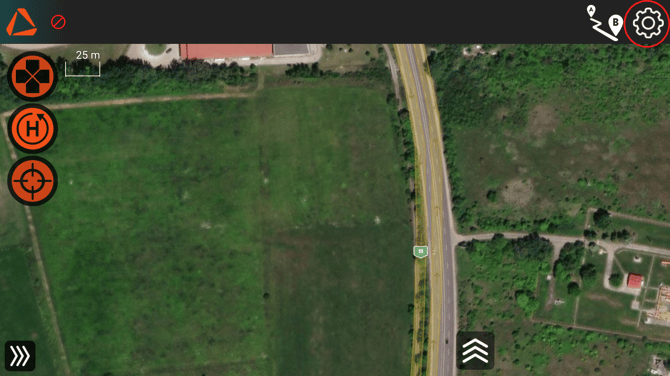
Access System Settings: From the main map interface, tap the Settings icon (gear symbol) located in the top-right corner to open the configuration menu.
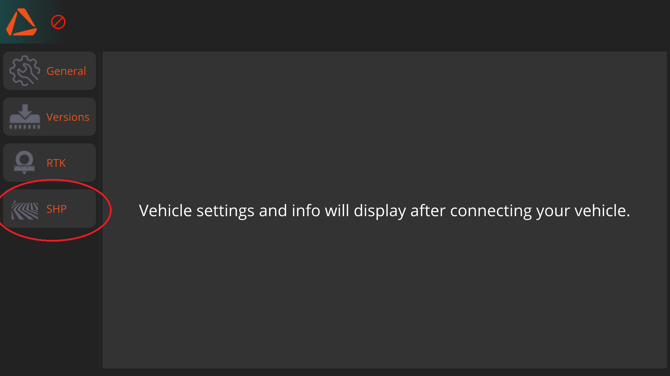
- Navigate to Shapefile Management In the settings sidebar on the left, select the SHP tab. This is where all external map data is managed.
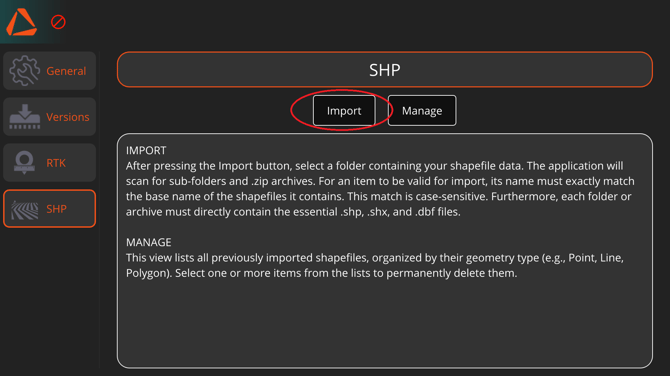
- Import Tap the Import button at the top of the screen. Note: Ensure your folder structure is correct.
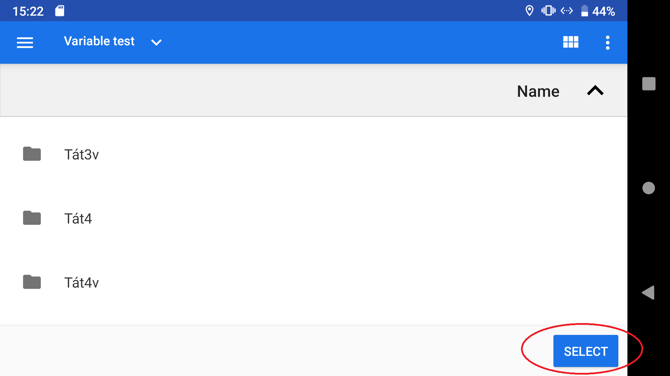
- Locate Your Files A file browser will appear. Navigate to the directory where the saved exported Pix4D folder is and select it.
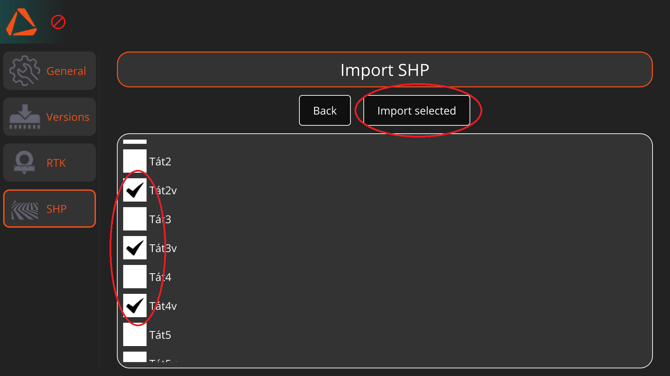
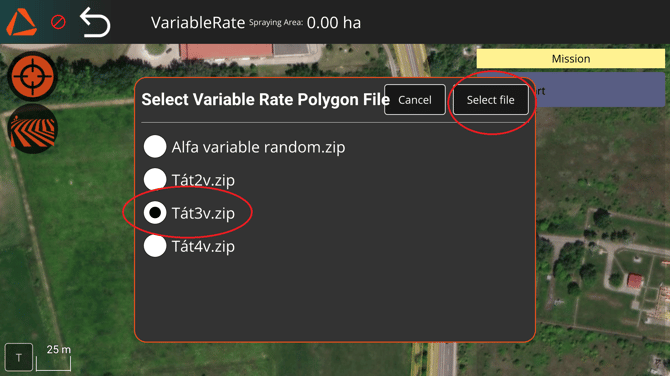
- Select and Confirm Import A list of available Shapefiles within the selected folder will appear. Check the box next to the file to import (for example, Tát3v.zip), then tap the Import selected button..
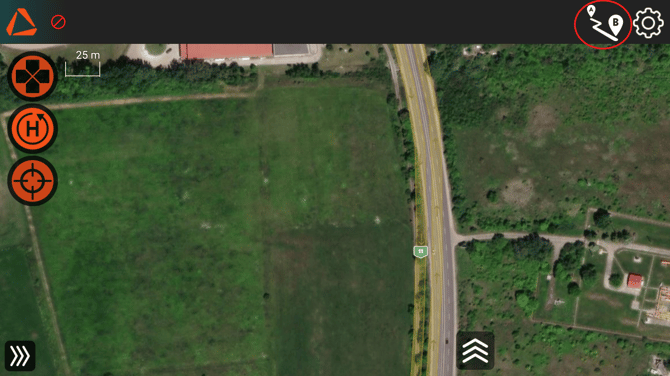
- Enter Mission Planning Return to the main flight screen. Tap the Mission Planning button (the "A to B" route icon) in the top-right corner.
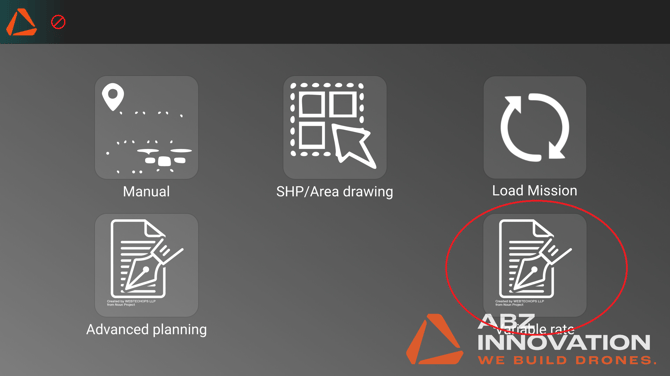
- Select Variable Rate Mode From the mission type menu, locate and select the Variable rate option.
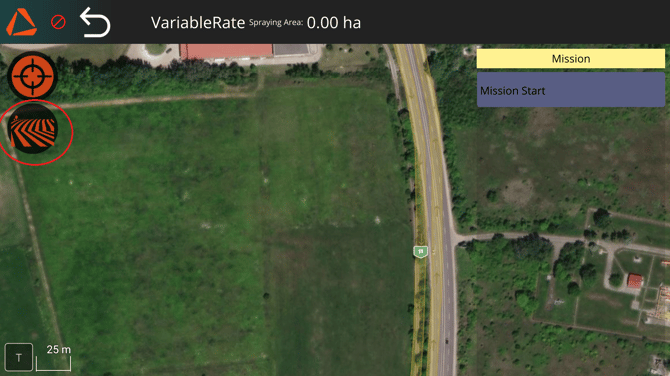
- Load SHP On the mission planning interface, tap the Field/SHP icon located on the left side of the screen.
- Choose Polygon Type A configuration menu will slide out. Under the "SHP for mission" section, tap the button labeled Variable Rate Polygons.
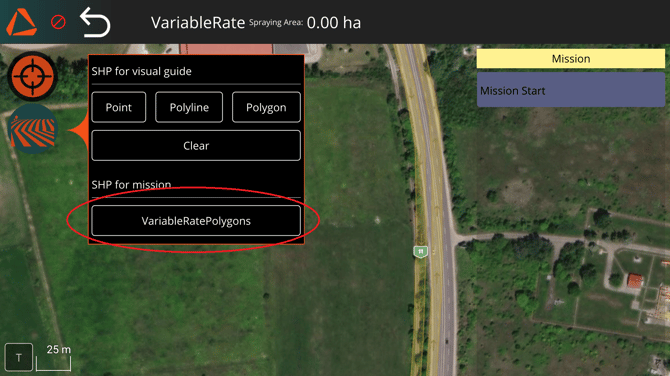
- Load the Prescription Map A pop-up window will display the imported files. Select the specific map file for this flight (e.g., Tát3v.zip) and tap Select file. The map will now load onto the flight interface, ready for operation.
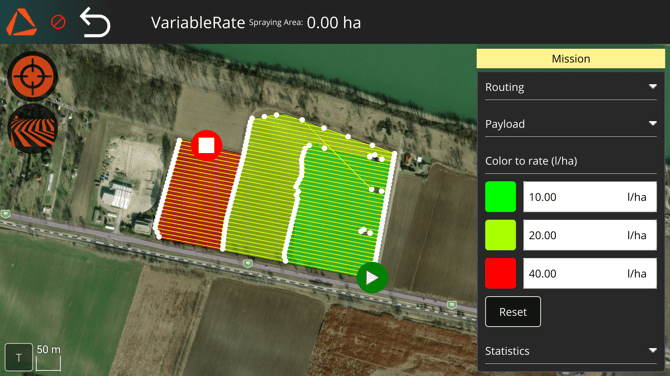
- Verify and Configure Application Rates The mission map will now be displayed with distinct colored zones representing different application rates. On the right-hand sidebar under Color to rate (l/ha), the system displays the dosage values assigned to each color (e.g., Green: 10.00 l/ha, Red: 40.00 l/ha). Review these values to ensure they match your agronomic plan. You can manually adjust the flow rate for each zone directly in this panel if necessary before starting the mission.
-