
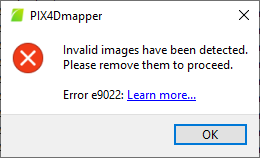
This error indicates that one or more images in the project are invalid and cannot be read or processed.
Cause:
This error is commonly caused by:
- Corrupted or incomplete image files.
- Unsupported image formats.
- Missing or invalid image metadata (EXIF).
- Zero-byte or partially downloaded image files.
Solution:
The only way to resolve this error is to identify the invalid image(s) and remove them from the project or replace them with valid copies from the original dataset.