
1. Generate the Google Maps tiles and the Google Earth KML: How to generate the Google Maps Tiles and KML.
2. Open the Orthomosaic in Google Maps, by opening the HTML file located in:
...\project_name\3_dsm_ortho\2_mosaic\google_tiles\project_name_mosaic.html
3. Open the Orthomosaic in Google Earth, by opening the KML file located in:
...\project_name\3_dsm_ortho\2_mosaic\google_tiles\project_name_mosaic.kml
1. Open the project_name_mosaic.kml file located in the folder: 3_dsm_ortho\google_tiles.
2. On Google Earth, click Add > placemarks.
3. On the map, drag the placemark on the position where is desired to place it.
4. Use the text boxes: Easting and Northing to adjust more accurately the coordinates.
5. Click Add image...
6. On Image URL: Paste the URL where the image is.
7. Click OK twice.
8. Double click the placemark, the image appears.
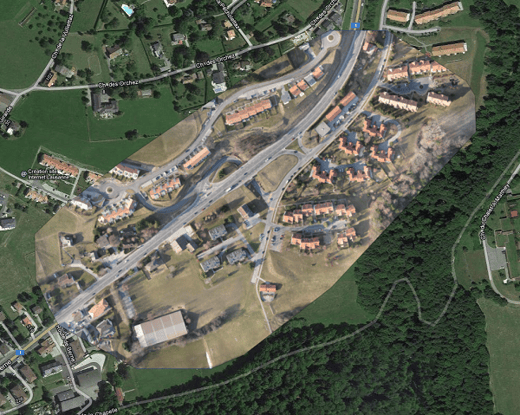
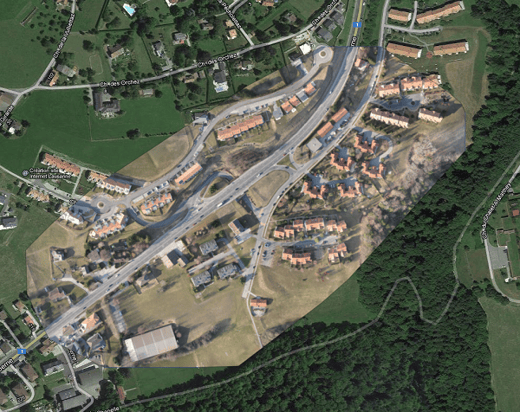
Sometimes the KML file might not be placed at the expected location on Google Maps. One possible reason for this is that the project does not have any GCPs that can be used to correct the GPS position of the images. Another reason can be the inaccuracy of Google Maps itself. In both cases it will help if you create user-defined GCPs from Google Maps as described in the chapter before.
To synchronize the KML file with Google Maps:
1. Obtain the georeference using GCPs taken from a Web Map Service server: How to obtain the georeference using 2D or 3D GCPs taken from a Web Map Service .
2. Include the GCPs in the project: How to include GCPs in the project.
Third-party information disclaimer:
PIX4D provides instructions for third-party platforms and products solely as a helpful guide to unblock your integration. Those companies are independent of PIX4D. We do not maintain, control, or guarantee the performance, accuracy or reliability of these products.
PIX4D may provide third-party links or contact information to help you find additional information about this topic. This contact information may change without notice. PIX4D does not guarantee the accuracy of third-party documentation or contact details.