
IN THIS ARTICLE
How to update Payment method information
How to add credit/debit card information
How to delete credit/debit card information
How to update Payment method information
Note: It is only possible to modify the Payment information for active subscriptions
- Open the "My plans" page from here: My plans.
- Select the organization holding the subscription with the saved payment.
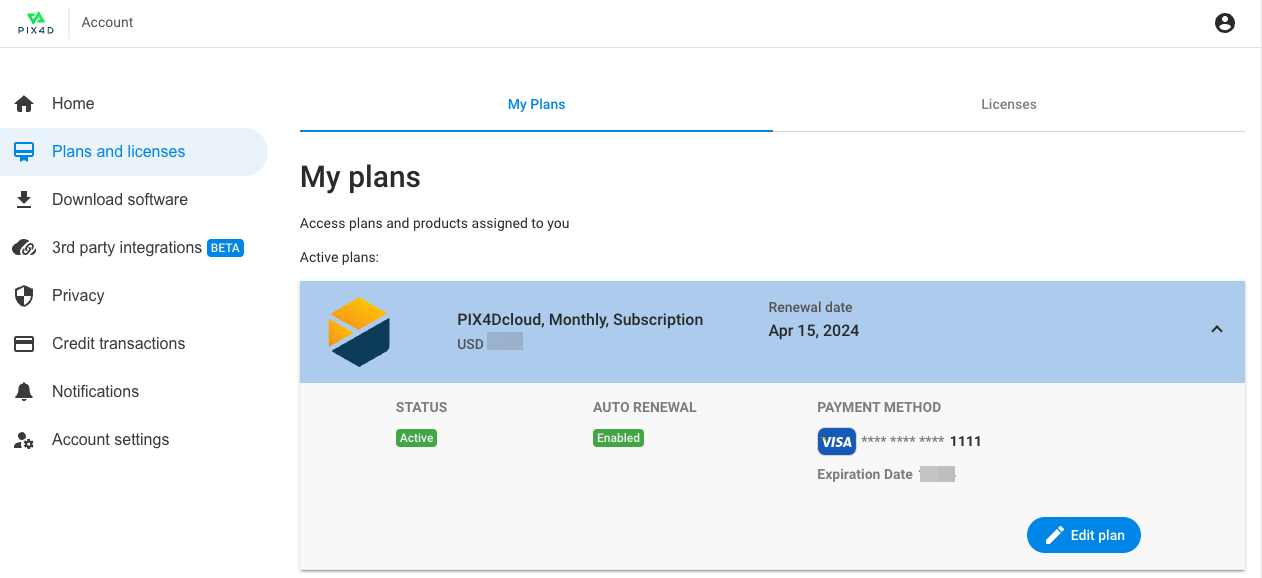
- Select the plan you want to modify the Payment method for
- Click Edit plan.
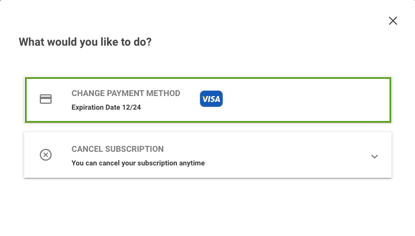
- Select Change payment method.
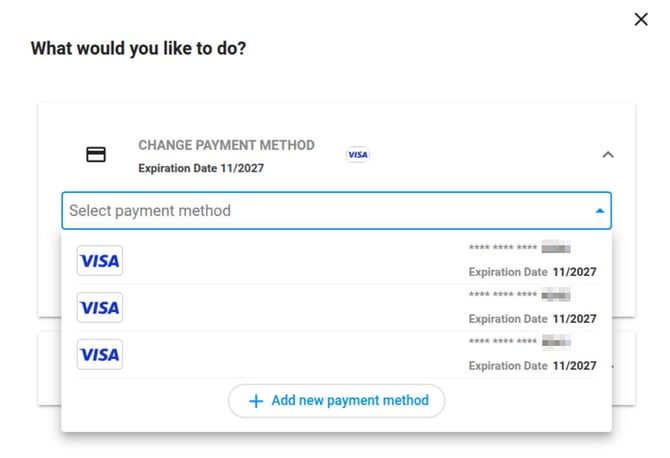
- Select one of the saved payment methods or click on + Add new payment method to add a new payment method.
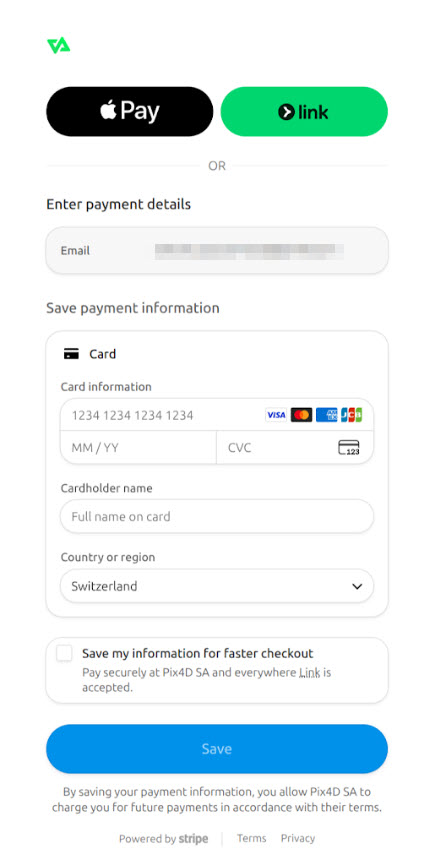
- If "+ Add new payment method" has been clicked, a new page opens where you can enter your payment details. Enable the checkbox Save my information for faster checkout if you want the payment method to be saved.
How to add Payment method information
It is not possible to add global Payment method information. This needs to be defined for every different subscription. Subscriptions that are renewing are taking into account the payment information associated with that specific subscription
How to delete Payment method information
It is not possible to delete the Payment method information (such as credit card number). If you don't want a subscription to renew, please refer to this article: How to cancel the subscription plan.
Tip: If you have any questions regarding how your credit card information is stored, please take a look at this article: Is my credit card information secure?