
To uninstall PIX4Dfields software, please follow these steps:
Windows:
-
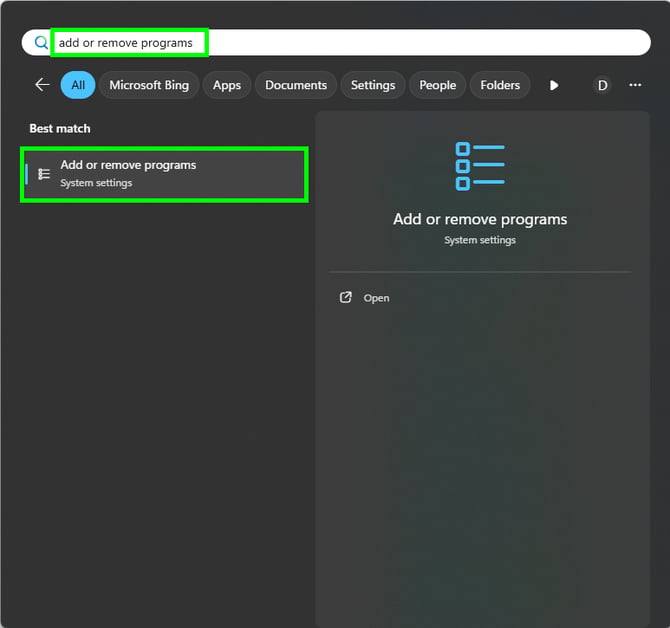
In the Windows Search, type Add or remove programs.
-
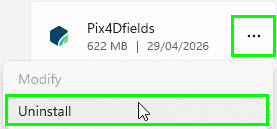
Scroll to find PIX4Dfields and click the application.
-
Click Uninstall.
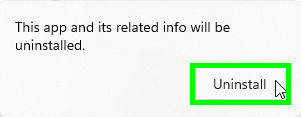
- If a pop-up appears asking Do you want to allow this app to make changes to your device? click Yes.
- On the path where PIX4Dfields was installed (default is C:\Program Files\PIX4Dfields), ensure this folder no longer exists. If it exists, DELETE this PIX4Dfields folder.
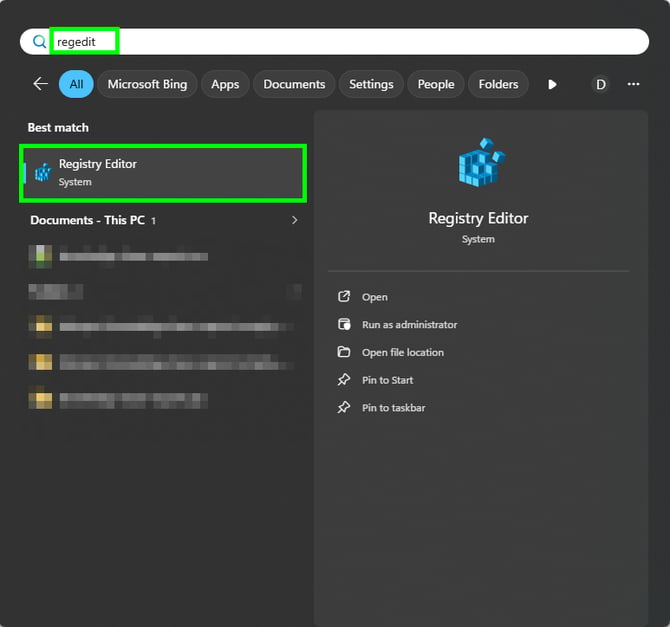
- In the Windows Search type RegEdit and open the Registry Editor.
- Locate the folder stored in the path: HKEY_CURRENT_USER\Software\pix4d\pix4dfields and ensure this folder no longer exists. If it exists, DELETE this PIX4Dfields folder.
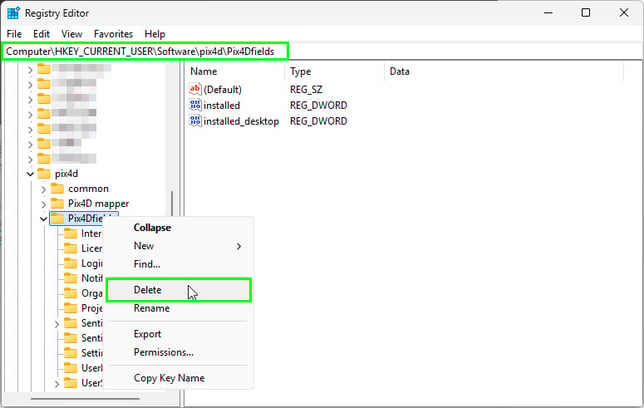
- Restart the computer.
- Reinstall the latest version of the software: https://www.pix4d.com/download-software/
Projects already processed will not be deleted by uninstalling PIX4Dfields and deleting the folders mentioned above.
To completely uninstall PIX4Dfields, delete:
-
The folder in "C:\Users\<username>\AppData\Local\pix4d\Pix4Dfields". Deleting it can help with some crashes, but this will cause projects not to be imported anymore to PIX4Dfields.
-
Data storage folder: This is where the actual project files are stored. You can find it in Settings, Data storage folder.
Important: It is always possible to export projects for backup prior to deletion. For detailed instructions, refer to the article: How to manage projects - PIX4Dfields.
MacOS:
-
Delete Pix4dfields from the Applications folder.
-
Delete “com.pix4d.Pix4dFields.plist” from the folder: Macintosh HD\Users\<username>\Library\Preferences\
-
Restart the computer.
-
Reinstall the latest version of the software: https://www.pix4d.com/download-software/
Projects already processed will not be deleted by uninstalling PIX4Dfields and deleting the folders mentioned above.
To completely uninstall PIX4Dfields, delete:
-
The folder in "/Users/<username>/Library/Application Support/Pix4d/Pix4Dfields". Deleting it can help with some crashings, but this will cause that projects will not be imported anymore to PIX4Dfields.
-
Data storage folder: this is where the actual files are stored. You can find it in Settings, Data storage folder.