
Starting from PIX4Dmatic 2.4.0, datasets processed on PIX4Dcloud can be downloaded and opened directly as new PIX4Dmatic projects.
Download from PIX4Dcloud requirements
PIX4Dmatic supports downloading projects processed on PIX4Dcloud and directly opening the calibration and dense point cloud results. This applies to projects initiated from:
-
Projects uploaded using PIX4Dmatic “PIX4Dcloud > Process” option.
-
Projects created and processed via the PIX4Dcloud web browser interface.
-
Projects uploaded from PIX4Dcatch.
-
Projects uploaded from PIX4Dmapper (since March 2026).
In summary, any project processed on PIX4Dcloud from the above sources can now be downloaded and continued in PIX4Dmatic.
How to use Download from PIX4Dcloud
To download projects from PIX4Dcloud:
- From the File menu, select the Download from PIX4Dcloud... option or click on the PIX4Dcloud button
 , found at the top-right corner of the PIX4Dmatic window.
 - Select the project in the organization where it is located.
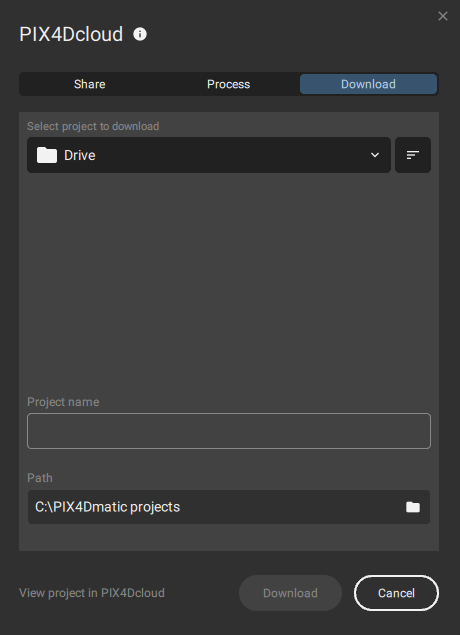
Note: Only calibration and dense point cloud results will be downloaded directly to the PIX4Dmatic project.